Showing posts with label into. Show all posts

Sunday, March 9, 2014

Dive into the ocean with Google Earth for Android

(Cross-posted from Google LatLong)

Especially during the summer months, staring out into the ocean leads to daydreams of sailing the open water, freedom and exploration. Now you can take three-quarters of this vast planet - the ocean - with you on your mobile device by downloading the new Google Earth 1.1 for Android.
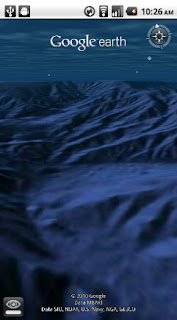

With the release of this feature, escape the hustle and bustle of life on land and discover the marine world using Google Earth on your mobile device. Now, you can check out the landscape and terrain in Monterery Bay Canyon, which is larger than the Grand Canyon, by zooming in on Google Earth below the ocean surface just off the coast. Once underwater, we can use the “look around” button to tilt the view and see the extent of this great undersea canyon.

The latest version of Google Earth for Android also introduces the “Explore the Ocean” layer, which features hundreds of photos and videos from more than 100 contributors who are excited to share their stories of sea. Plan your next vacation during your daily commute by clicking on any of the little blue icons. The gold highlighted icons represent content from the Mission Blue Hope Spot initiative.


For those of you running Android 2.2, there are some more treats in store. Google Earth now supports Flash in balloons, so if you have the Flash player installed on your mobile device, you can watch videos right in the balloon. We’ve also made the program easier to navigate; for most devices, you can now use two fingers to “look around” and change your viewpoint, as an alternate to using the on-screen button. This makes it even easier to tilt your view to see mountainous landscapes or underwater canyons. Rotating your view with a simple twist of your fingers is now available on more devices as well.

Google Earth for Android 1.1 is available in Android Market today for most Android devices running version 2.1 or later. Explore the ocean anywhere.
qrcode

Posted by Jenifer Austin Foulkes, Product Manager
Read More..

Saturday, February 22, 2014

How to convert Normal SIM card into Micro Nano Sim Easy Steps

Today we talking about very useful information about convert normal SIM to Micro sim in Three Easy Steps.

Here is a very nice trick and it definitely works to convert at a time when our normal SIM into a micro SIM .

Cutting our SIM to make it microSIM

1. The first thing to do is get a good cutting tool,either scissors or a cutter. It is important to make clean cuts to avoid problems later. We also need a rule (if a bit heavy use cutter for card not move while cut).

2. Then we have a workforce of us a microSIM or its action on normal SIM . We will have two options:

a. Measure with the ruler to make the cuts (this is what I have used and works perfectly), marking with a permanent marker and fine according to the measurements that you find in the image below .Keep in mind that not all SIM are identical, but what always equals the size of the microSIM, so you simply adaptáis card that size. There are even models that are short of the rectangle occupied by the circuit to make the conversion.


b. Print the template in 1:1 size.Here you have a link to download the template, which also carries the cutting instructions.

3. then we just have to try to insert the card, if we do not try to go a little more cut and ready . In just 10 minutes you will have your SIM list.

Read More..